Sign in to DMPonline
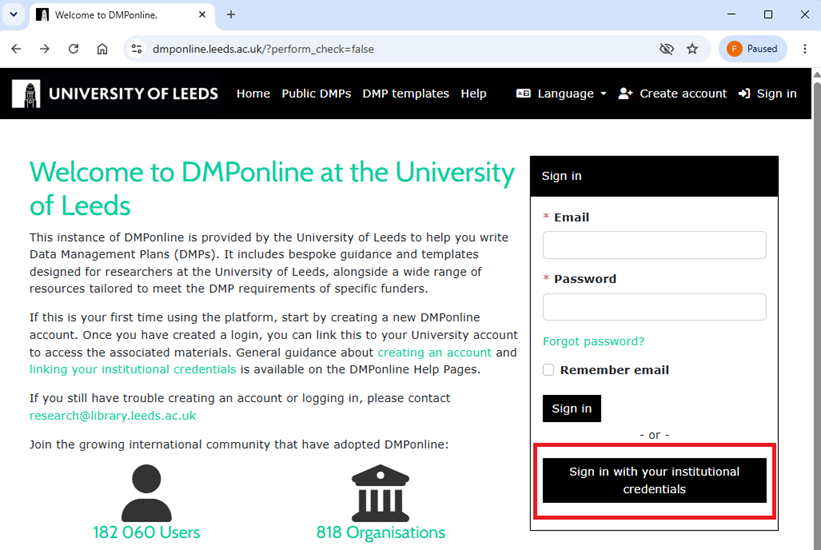
1. Sign in to DMPonline: Go to dmponline.leeds.ac.uk and click Sign in with your institutional credentials.
2. Select your organisation: On the Discovery Service page, type University of Leeds into the search box, select it from the dropdown, and click Continue.
You’ll be redirected to sign in with your usual University of Leeds credentials.